Install PhpMyAdmin in Ubuntu / Debian
What is phpMyAdmin?
PhpMyAdmin is an open source tool written in PHP and can be used for the administration of MySQL over WWW. You can execute any sql statement and you can easily manage databases, tables, relations, indexes, permissions, users, etc.
How to install phpMyAdmin
In order to install phpMyAdmin you have to install first Mysql, PHP and Apache.
Open your terminal and type the following:
$>sudo apt-get install phpmyadmin
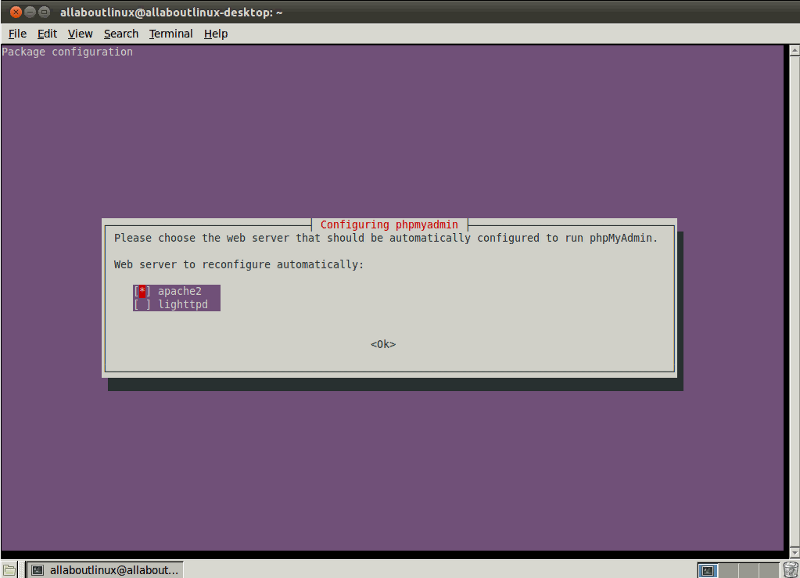
A screen like the following will appear and now you have to choose the web server that should be automatically configures to run phpMyAdmin(you can navigate by using the “arrow keys” and you can select by using the “spacebar key”). It is recomended to use the apache server.
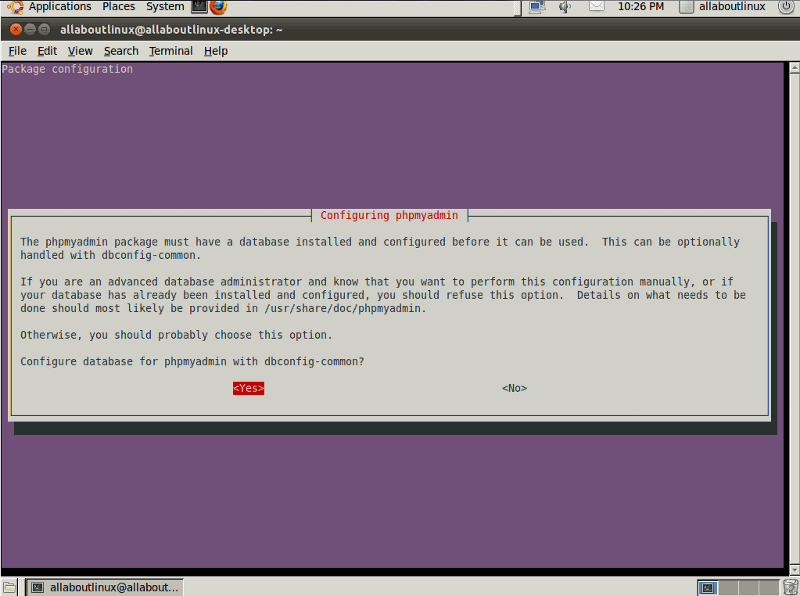
After that the a screen like the following will ask if you want to let the installation configure the database for phpMyAdmin for you. Its recomended to click “YES” on that.
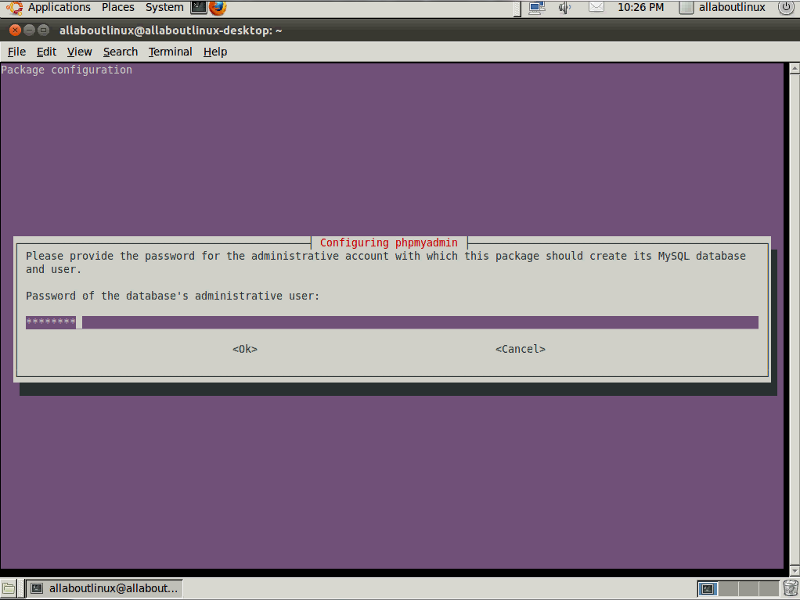
Then you have to type the MySQL root password so the phpMyAdmin can access the MySQL.
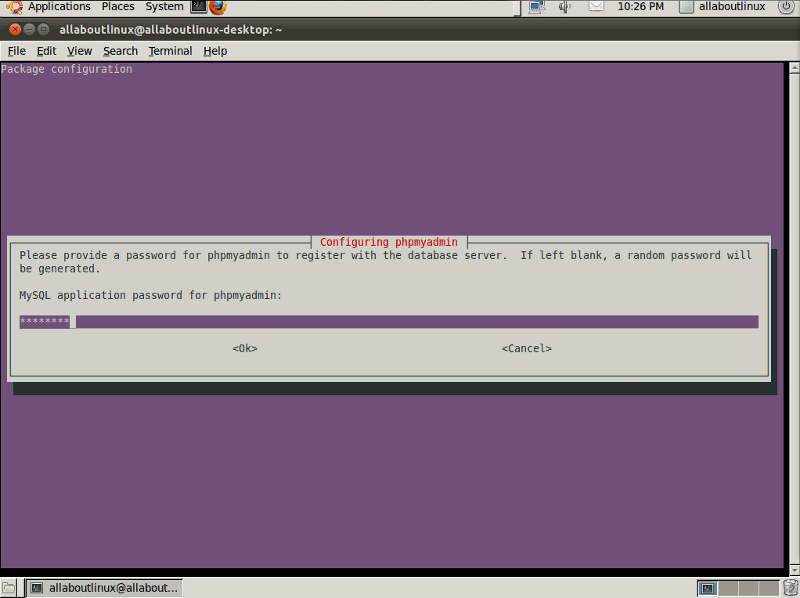
And for the last last step you have to enter a password for the phpMyAdmin and retype it when the confirmation screen appear.
Congratulation the phpMyAdmin is now installed into your system and you can access it by pointing you web browser to http://localhost/phpmyadmin/
For user name use “root” and for password use the one you have chosen.
Here is a video tutorial about how to install phpMyAdmin on Ubuntu 11.04
Video: watch on YouTube ↗